
Daftar
Get Approved
Bulk Order
Checkout
Coba Sendiri
Instruksi Demo
Register as a wholesale customer by submitting an application with your business details.
Apply NowOnce approved, you'll be assigned to a customer group with exclusive wholesale pricing and discounts.
See tier-based pricing that decreases as you order more. Meet minimum order quantities (MOQ) for bulk deals.
Shop ProductsOrder in bulk quantities and enjoy automatic wholesale discounts applied at checkout.
Wholesale Customer Groups
Dukungan Multivendor
Plugin ini sepenuhnya kompatibel dengan plugin Botble Marketplace. Penjual dapat mengonfigurasi aturan harga grosir, harga berjenjang, dan pengaturan MOQ untuk produk mereka sendiri langsung dari dasbor vendor. Aturan yang ditentukan admin berfungsi sebagai pengaturan default global ketika penjual belum menetapkan harga mereka sendiri.
Tangkapan Layar
Lihat plugin Grosir beraksi
Customer Groups Management
Create and manage wholesale customer groups with different discount levels and priorities.

Pricing Rules
Set up tiered pricing rules per product with quantity-based discounts for wholesale customers.

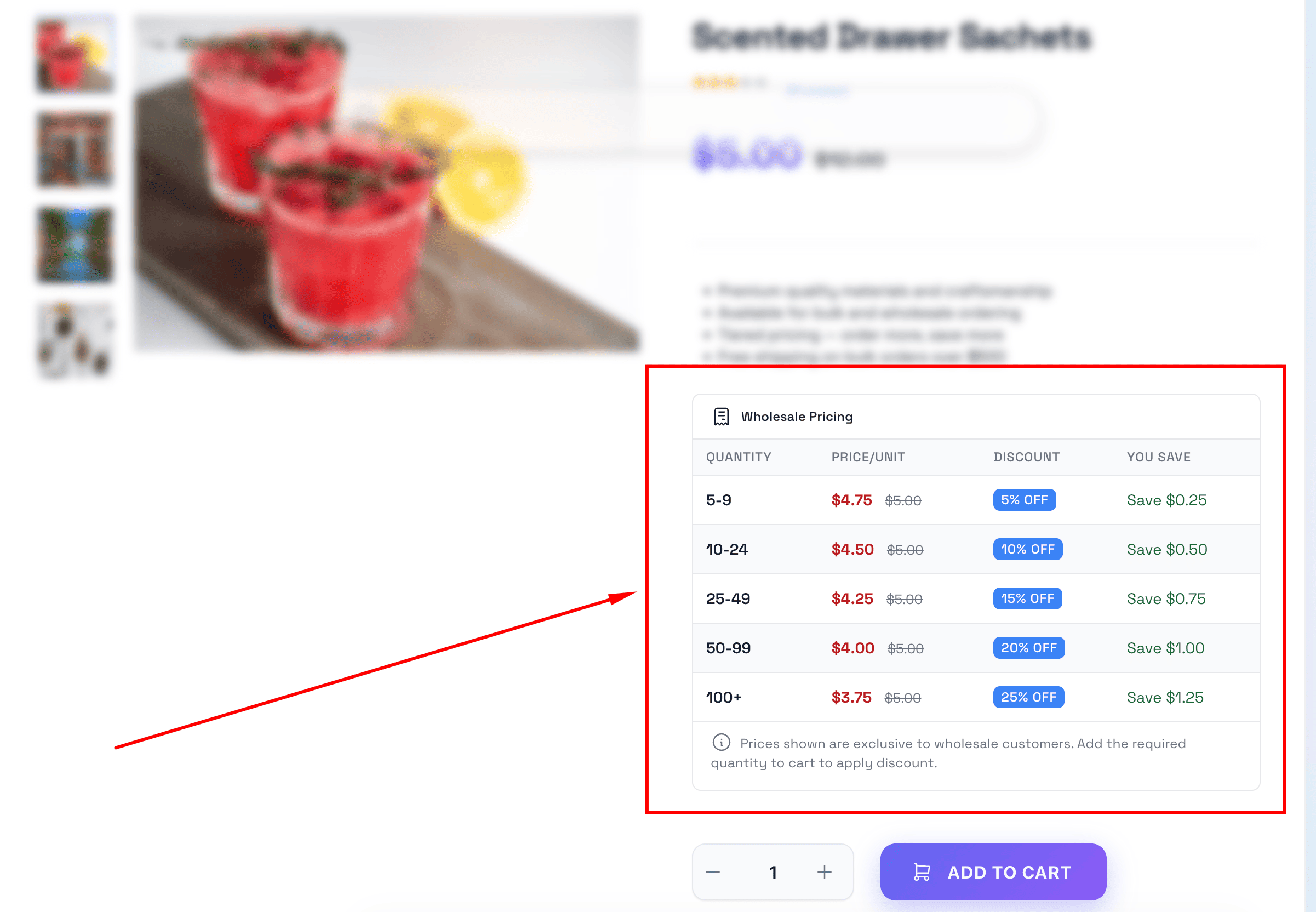
Wholesale Pricing Table
Pricing tables are displayed on product pages showing quantity-based discounts to wholesale customers.
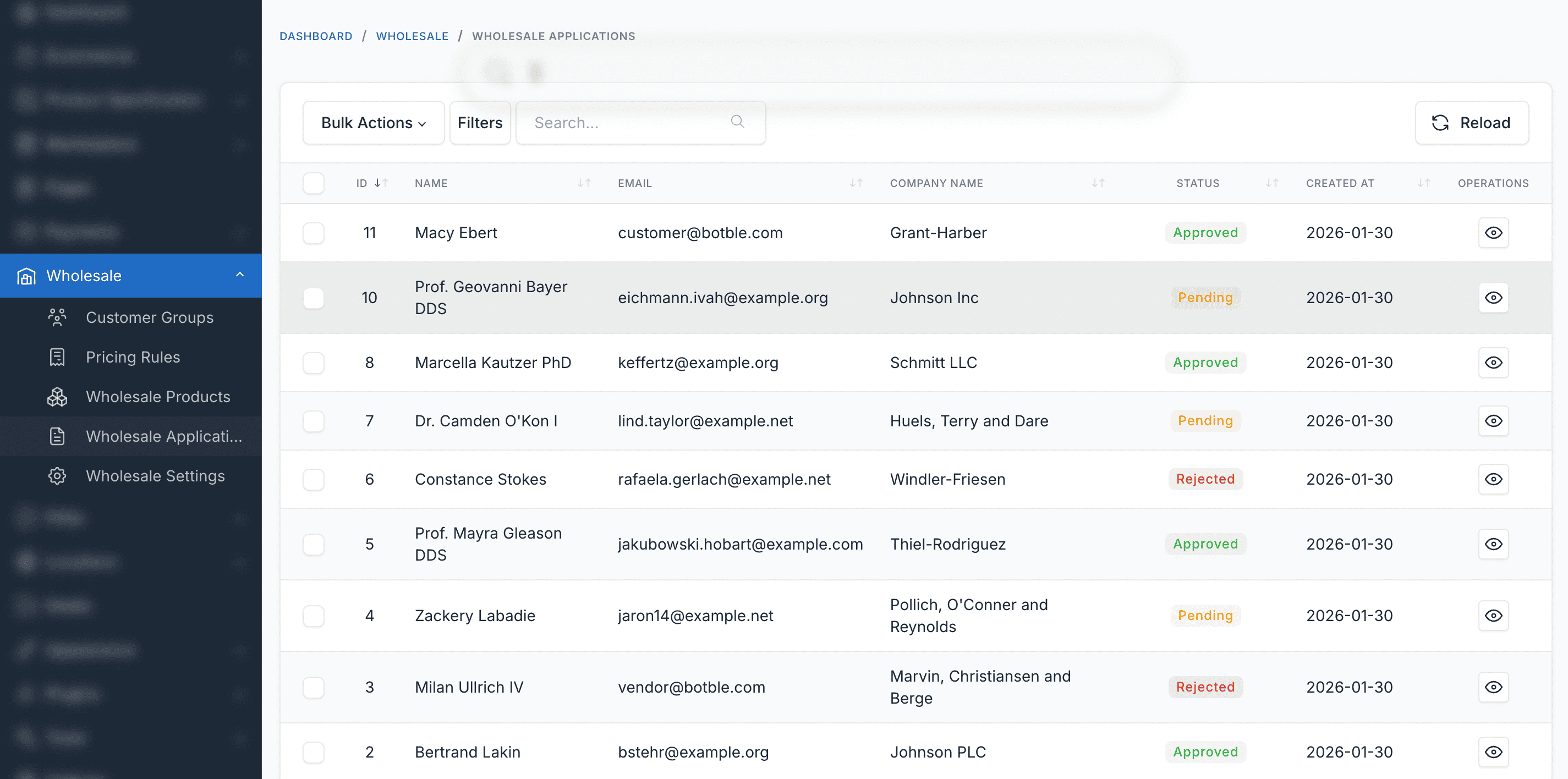
Wholesale Applications
Review and manage wholesale registration applications with approve/reject workflow.
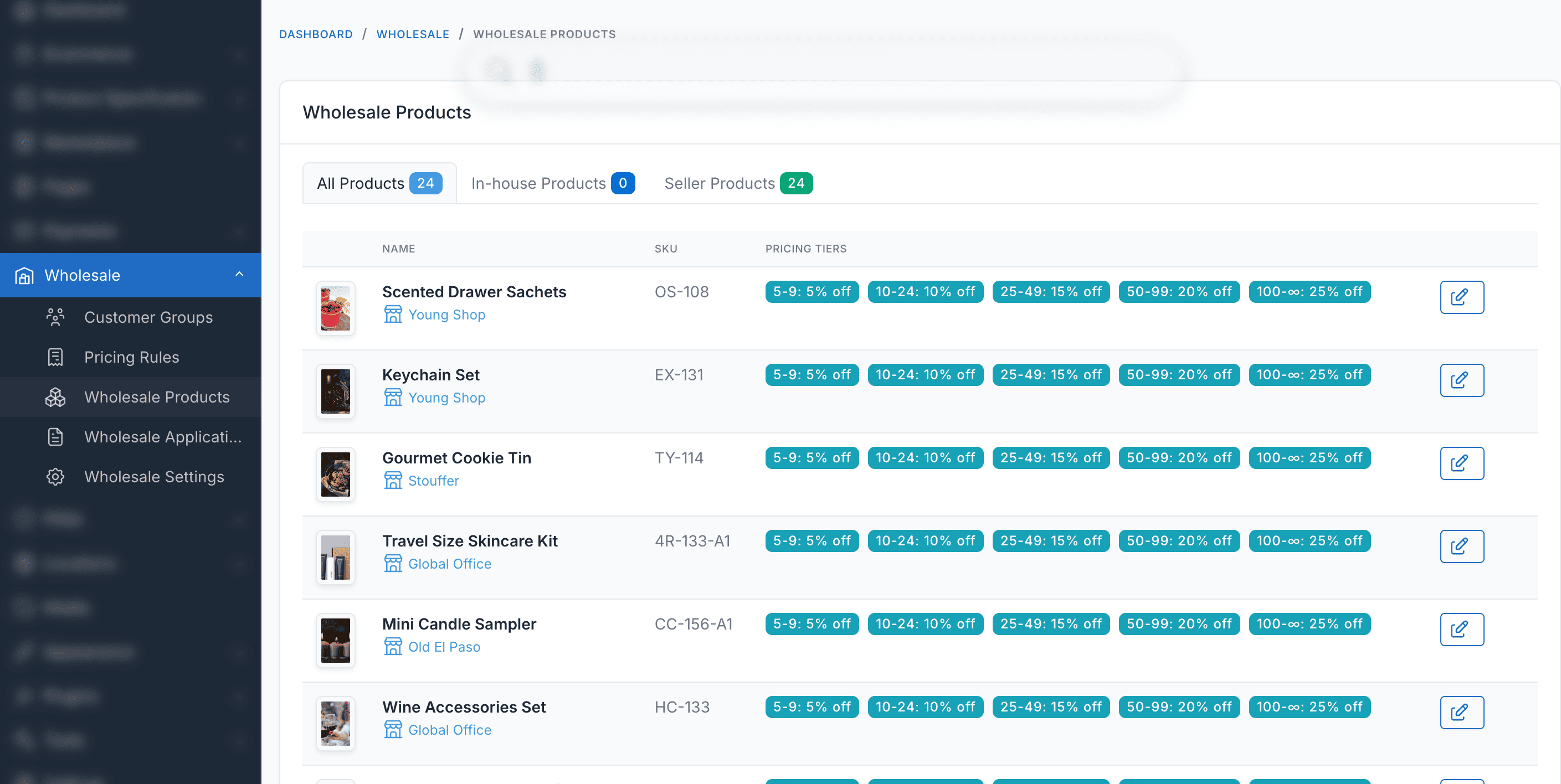
Wholesale Products
Browse and manage wholesale products with special pricing and availability settings.
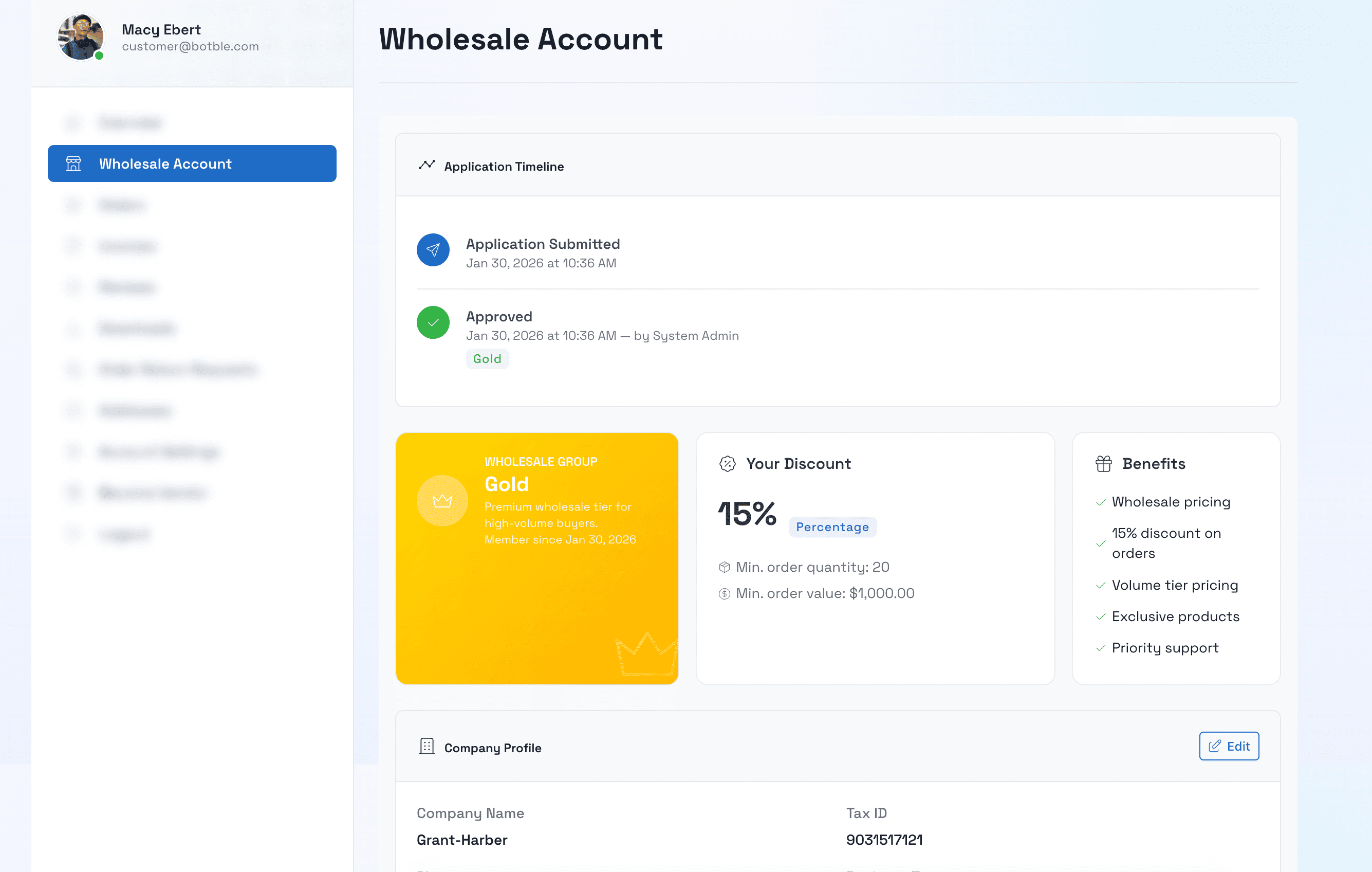
Wholesale Account Info
Wholesale account information displayed in the customer dashboard with group details and status.
Panel Admin
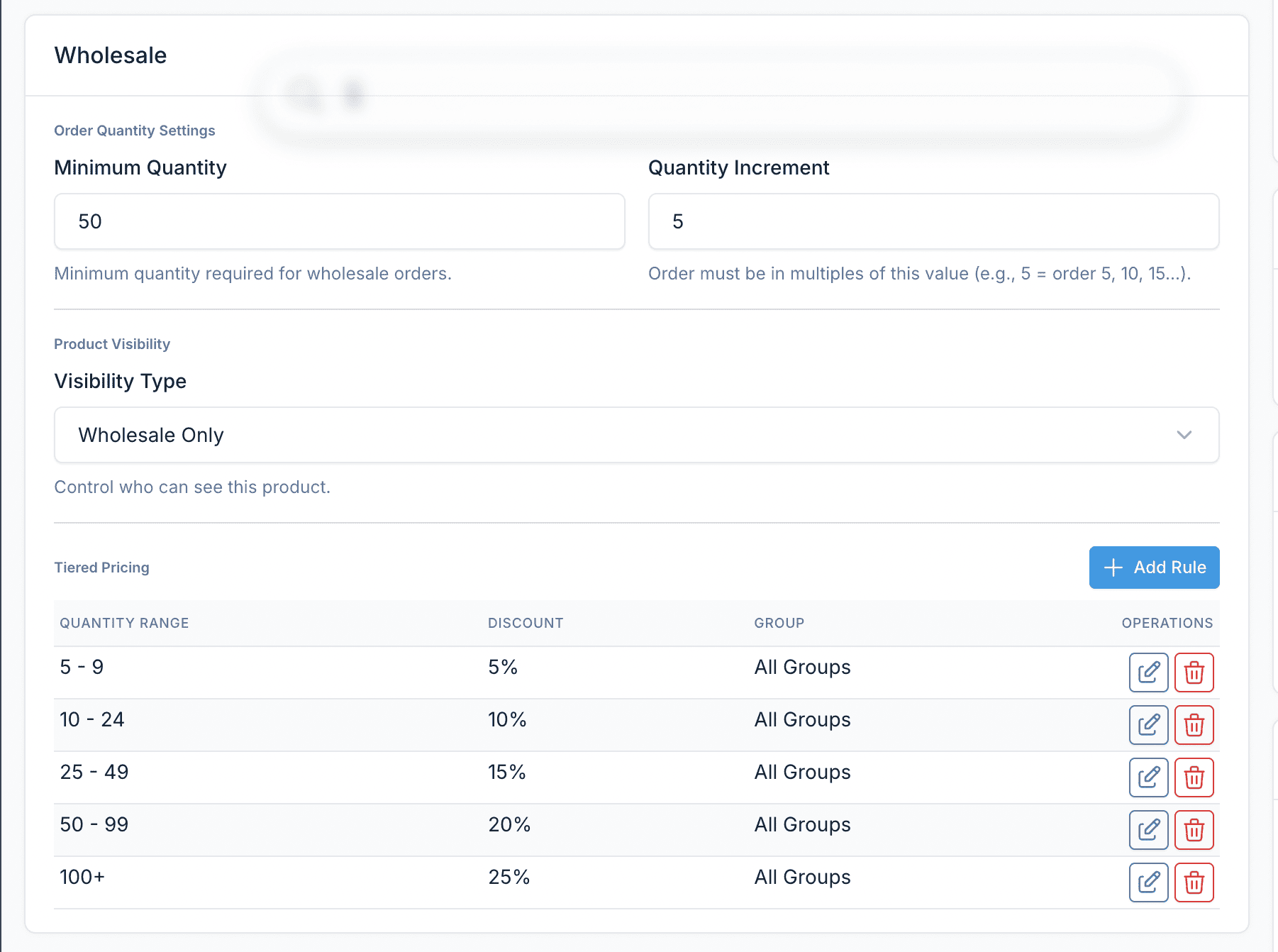
Wholesale Box in Product Form
Wholesale pricing and visibility settings integrated directly into the product edit form.
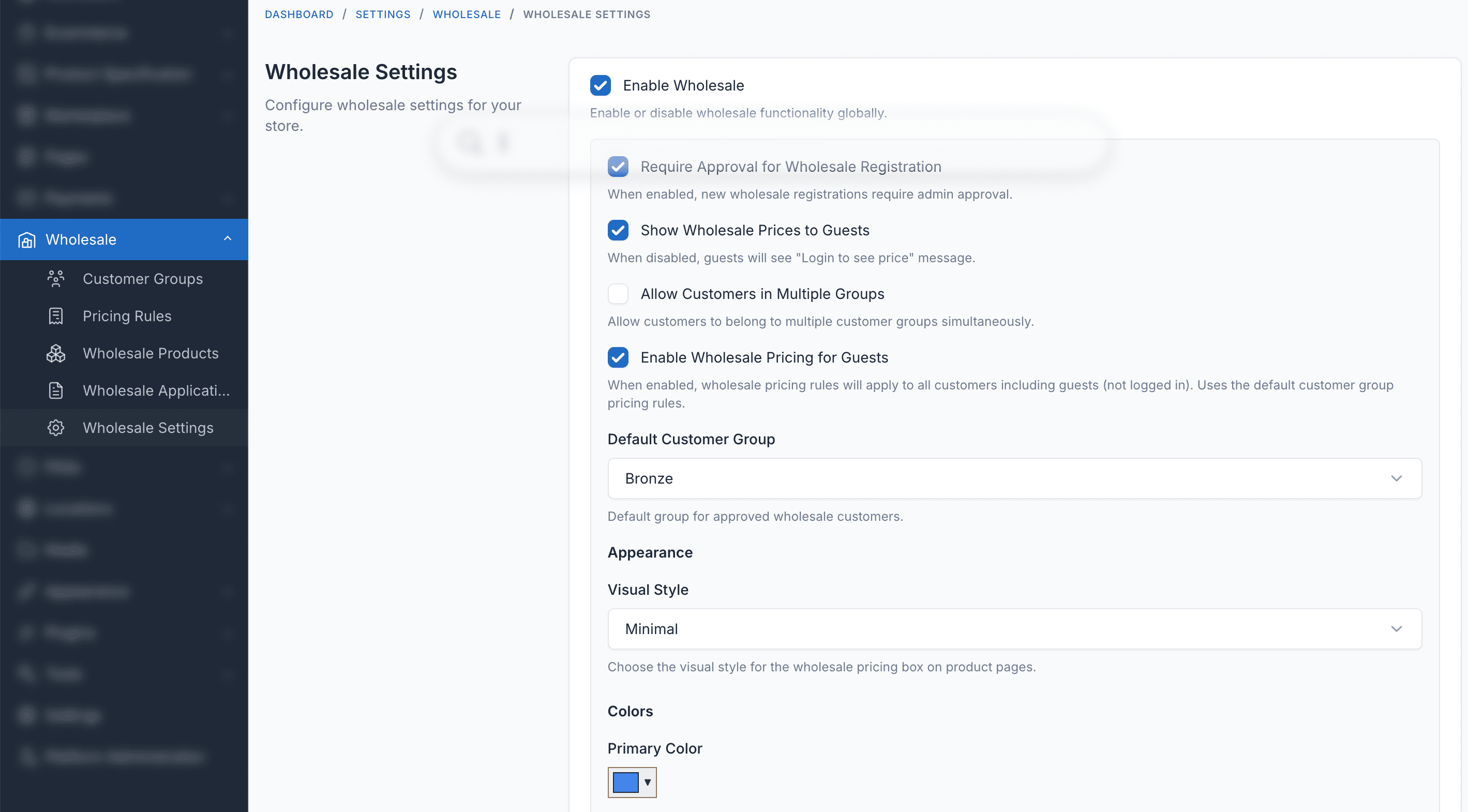
Pengaturan & Konfigurasi
Configure wholesale settings including pricing table styles, guest access, and approval workflows.
Fitur Plugin
Semua yang Anda butuhkan untuk menjalankan sistem Grosir
Customer Groups
Create wholesale customer tiers (Bronze, Silver, Gold, Platinum) with different discount levels.
Tiered Pricing
Set quantity-based pricing rules per product — the more customers order, the lower the unit price.
MOQ Validation
Enforce minimum order quantities and quantity increments per product or customer group.
Product Visibility
Control which products are visible to wholesale customers, specific groups, or the public.
Registration Workflow
Wholesale application form with admin approval process and automatic group assignment.
Flexible Discounts
Support for percentage, fixed amount, and fixed price discount types with automatic best-price selection.
Manajemen Admin
Easy-to-use admin interface to manage customer groups, pricing rules, and wholesale applications.
Pricing Table Display
Show wholesale pricing tables on product pages with multiple display styles and color customization.
Dukungan Multivendor / Marketplace
Sepenuhnya kompatibel dengan plugin Botble Marketplace. Penjual dapat mengonfigurasi aturan harga grosir mereka sendiri, harga berjenjang, dan pengaturan MOQ langsung dari dasbor vendor. Aturan admin berfungsi sebagai pengaturan default global.
Info Grosir Keranjang & Pesanan
Lencana diskon grosir ditampilkan di halaman keranjang, panel mini-cart, checkout, dan ringkasan pesanan sehingga pelanggan selalu melihat penghematan mereka.
Siap Multivendor
Penjual dapat mengonfigurasi harga grosir dari dasbor vendor mereka — tidak perlu intervensi admin.
Dukungan Multi-bahasa
Tersedia dalam 30+ bahasa termasuk Inggris, Prancis, Jerman, Spanyol, Vietnam, Jepang, Korea, Mandarin, Arab, dan lainnya.
Sepenuhnya Kompatibel
Bekerja dengan semua tema e-commerce Botble yang tersedia di CodeCanyon.