
Kayıt Ol
Get Approved
Bulk Order
Ödeme
Kendiniz Deneyin
Demo Talimatları
Register as a wholesale customer by submitting an application with your business details.
Apply NowOnce approved, you'll be assigned to a customer group with exclusive wholesale pricing and discounts.
See tier-based pricing that decreases as you order more. Meet minimum order quantities (MOQ) for bulk deals.
Shop ProductsOrder in bulk quantities and enjoy automatic wholesale discounts applied at checkout.
Wholesale Customer Groups
Çoklu Satıcı Desteği
Bu eklenti, Botble Marketplace eklentisi ile tamamen uyumludur. Satıcılar kendi ürünleri için toptan fiyatlandırma kurallarını, kademeli fiyatlandırmayı ve minimum sipariş miktarı ayarlarını doğrudan satıcı panosundan yapılandırabilir. Satıcılar kendi fiyatlandırmalarını belirlemediğinde yönetici tanımlı kurallar genel varsayılan olarak çalışır.
Ekran Goruntuleri
Toptan Satis eklentisini calisirken gorun
Customer Groups Management
Create and manage wholesale customer groups with different discount levels and priorities.

Pricing Rules
Set up tiered pricing rules per product with quantity-based discounts for wholesale customers.

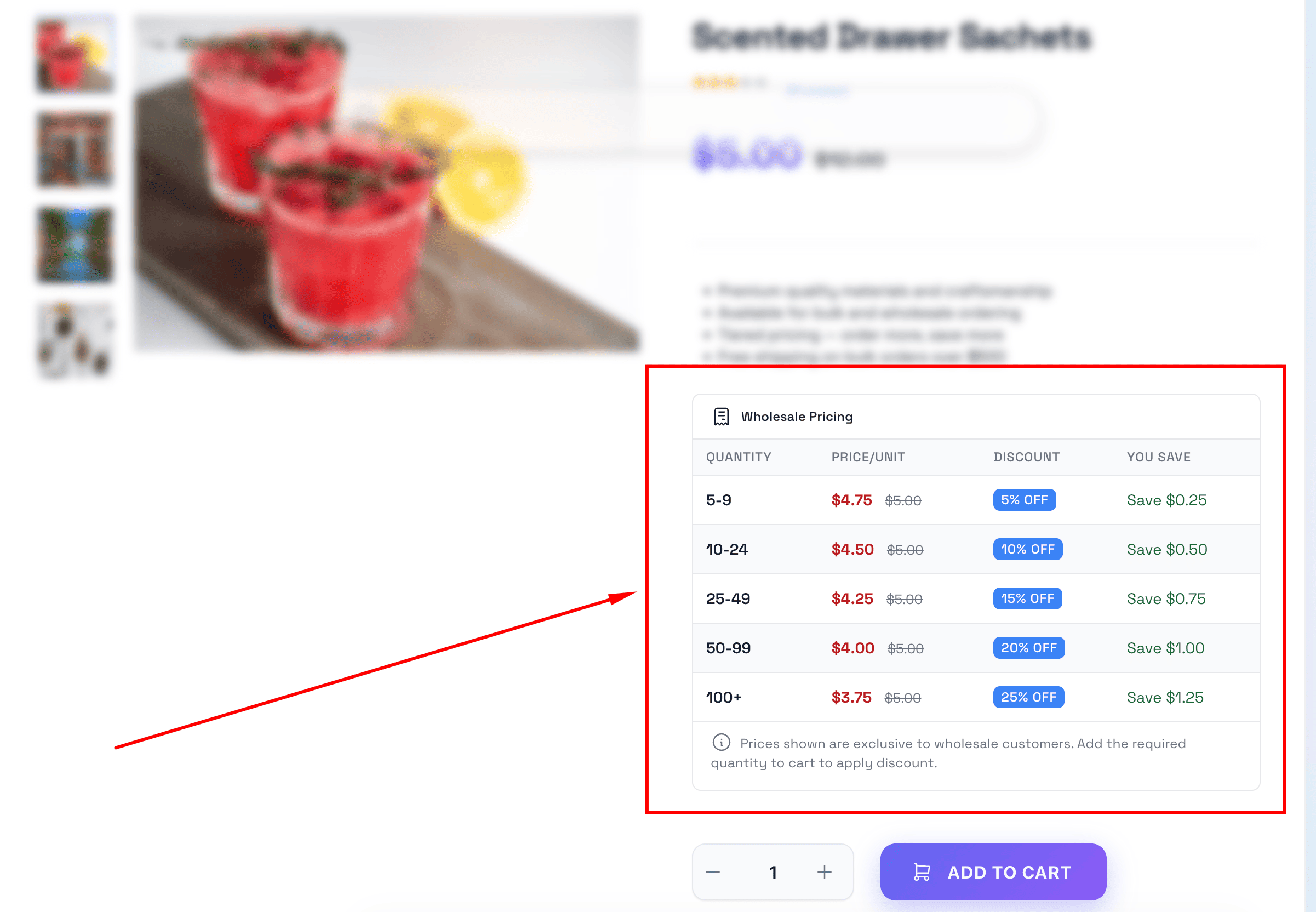
Wholesale Pricing Table
Pricing tables are displayed on product pages showing quantity-based discounts to wholesale customers.
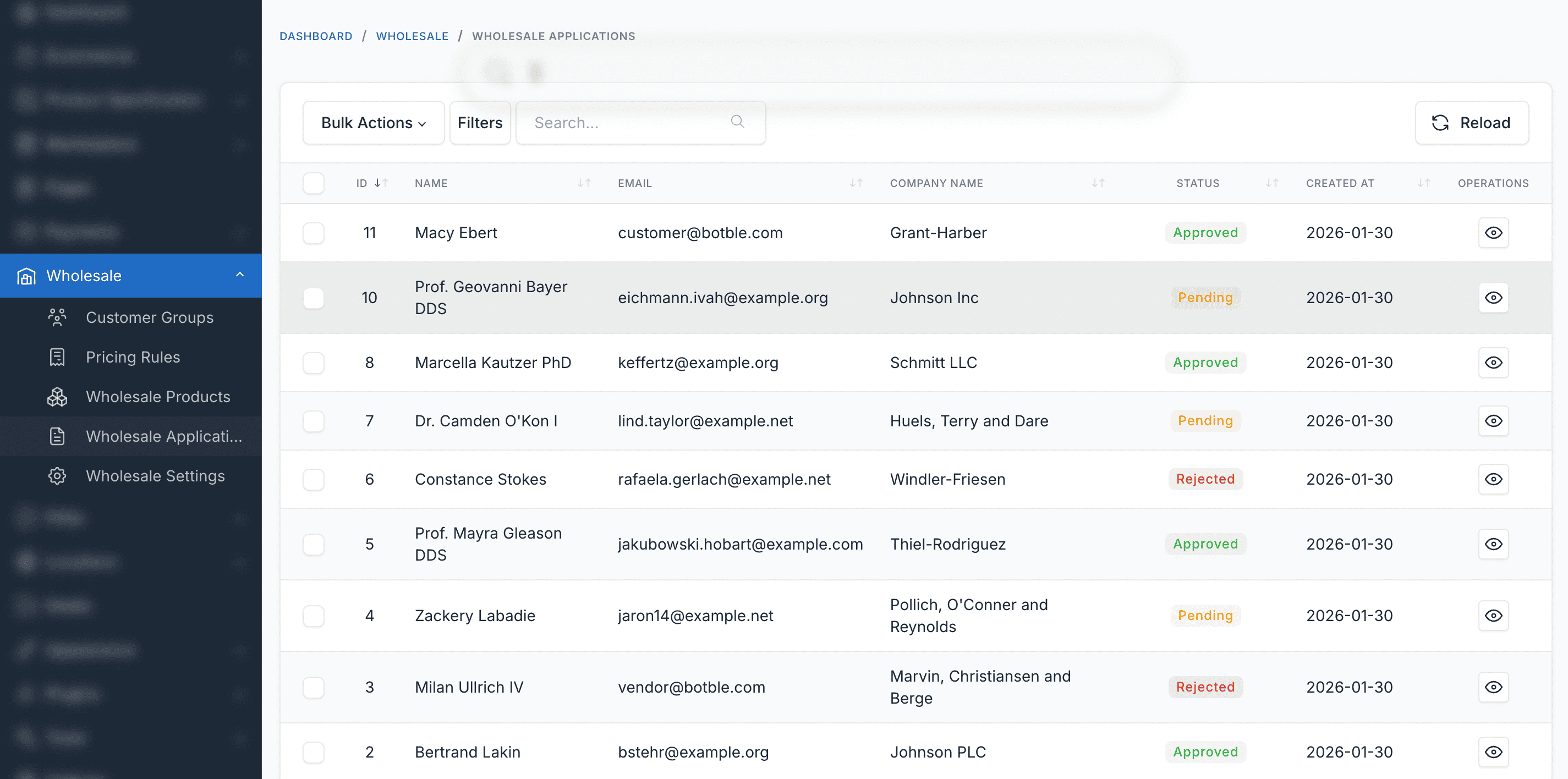
Wholesale Applications
Review and manage wholesale registration applications with approve/reject workflow.
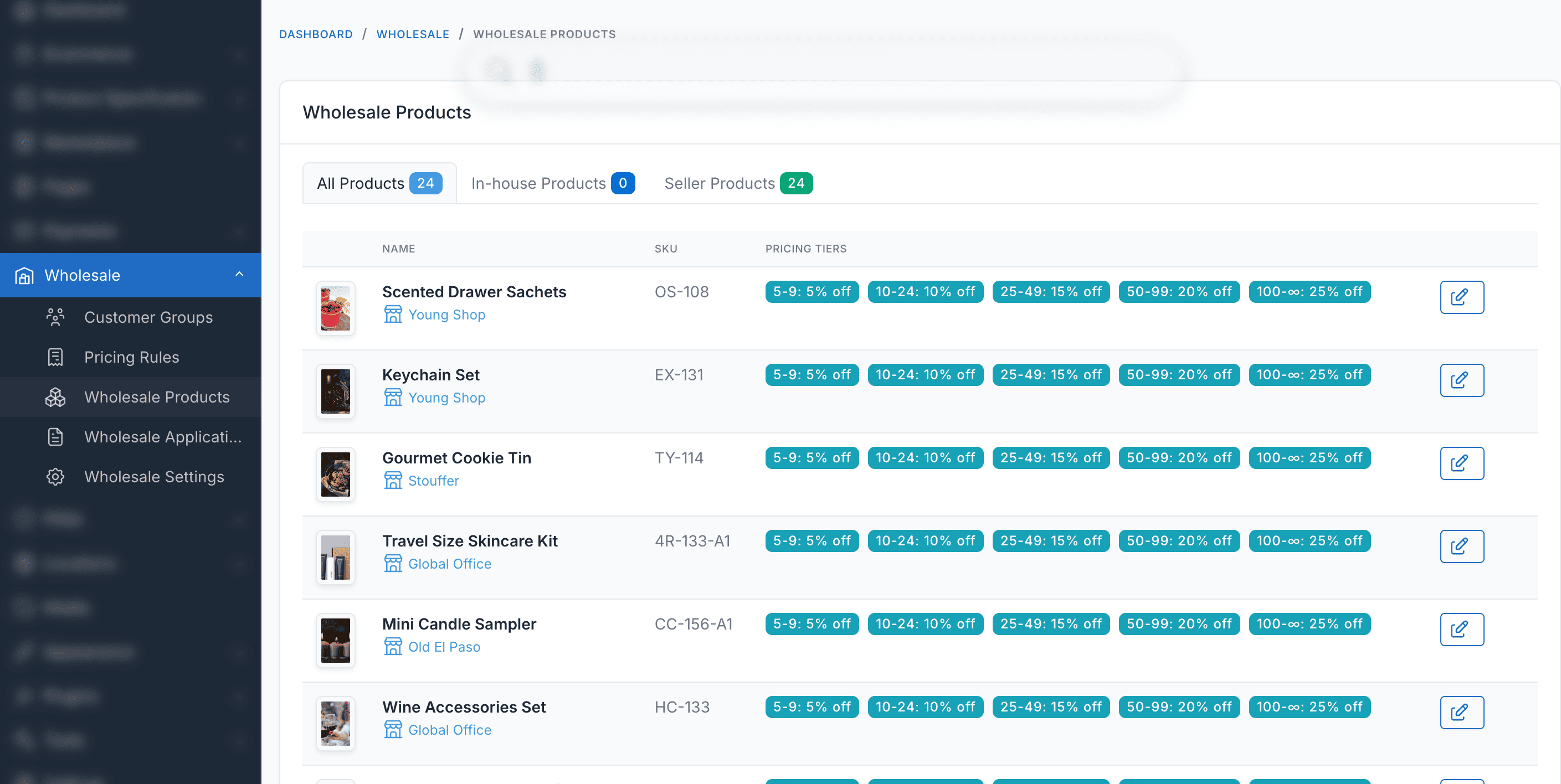
Wholesale Products
Browse and manage wholesale products with special pricing and availability settings.
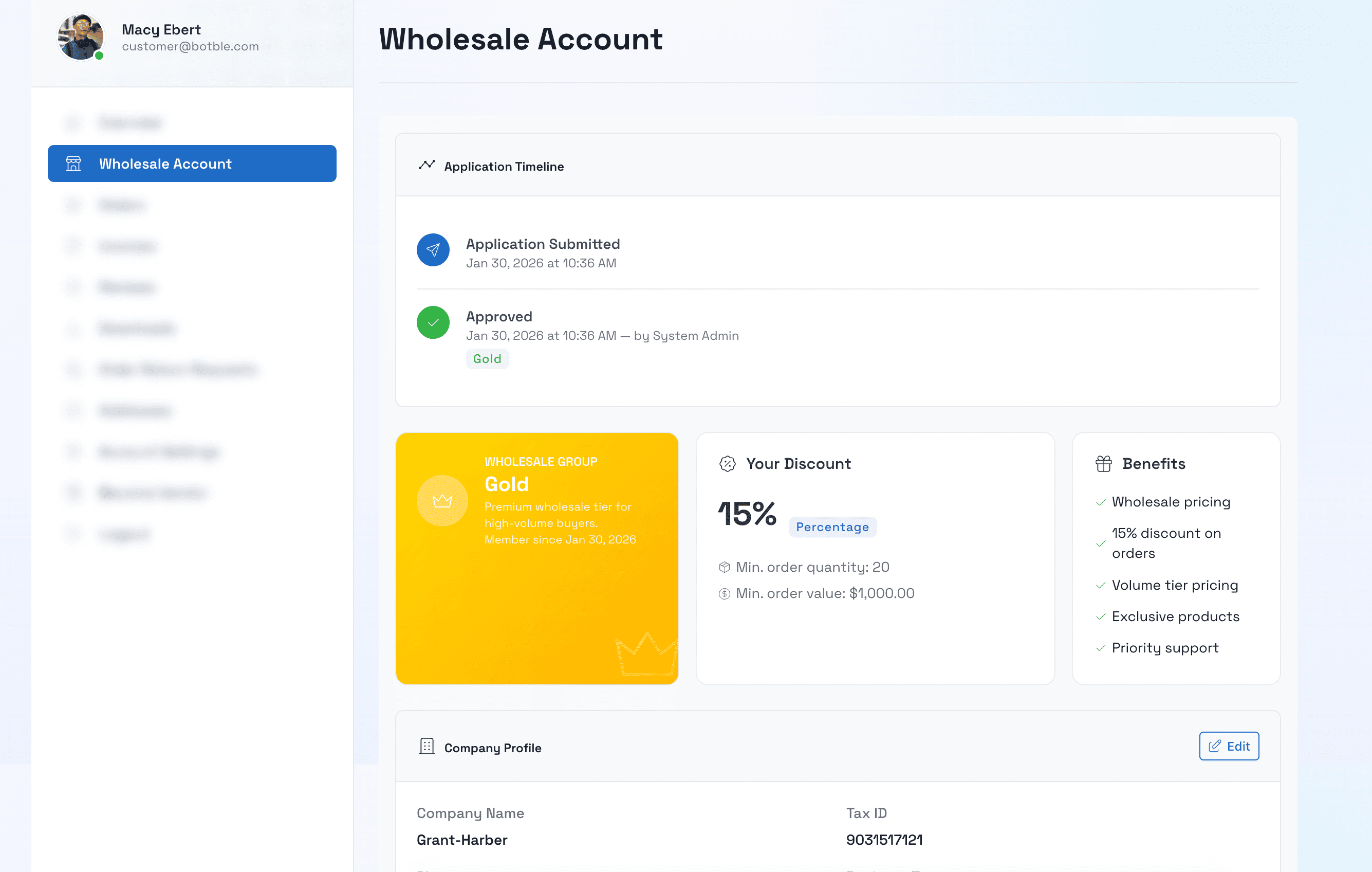
Wholesale Account Info
Wholesale account information displayed in the customer dashboard with group details and status.
Yönetim Paneli
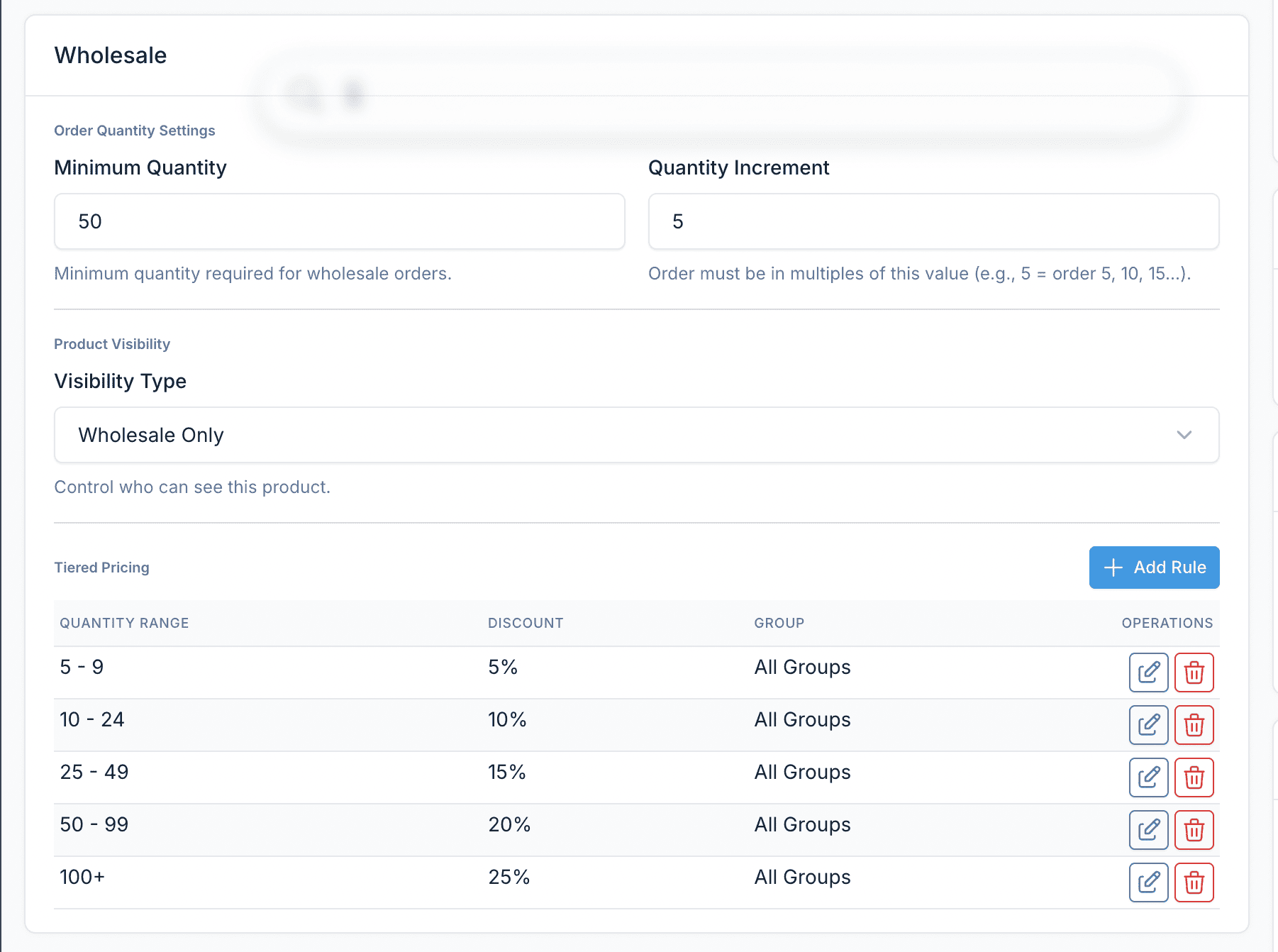
Wholesale Box in Product Form
Wholesale pricing and visibility settings integrated directly into the product edit form.
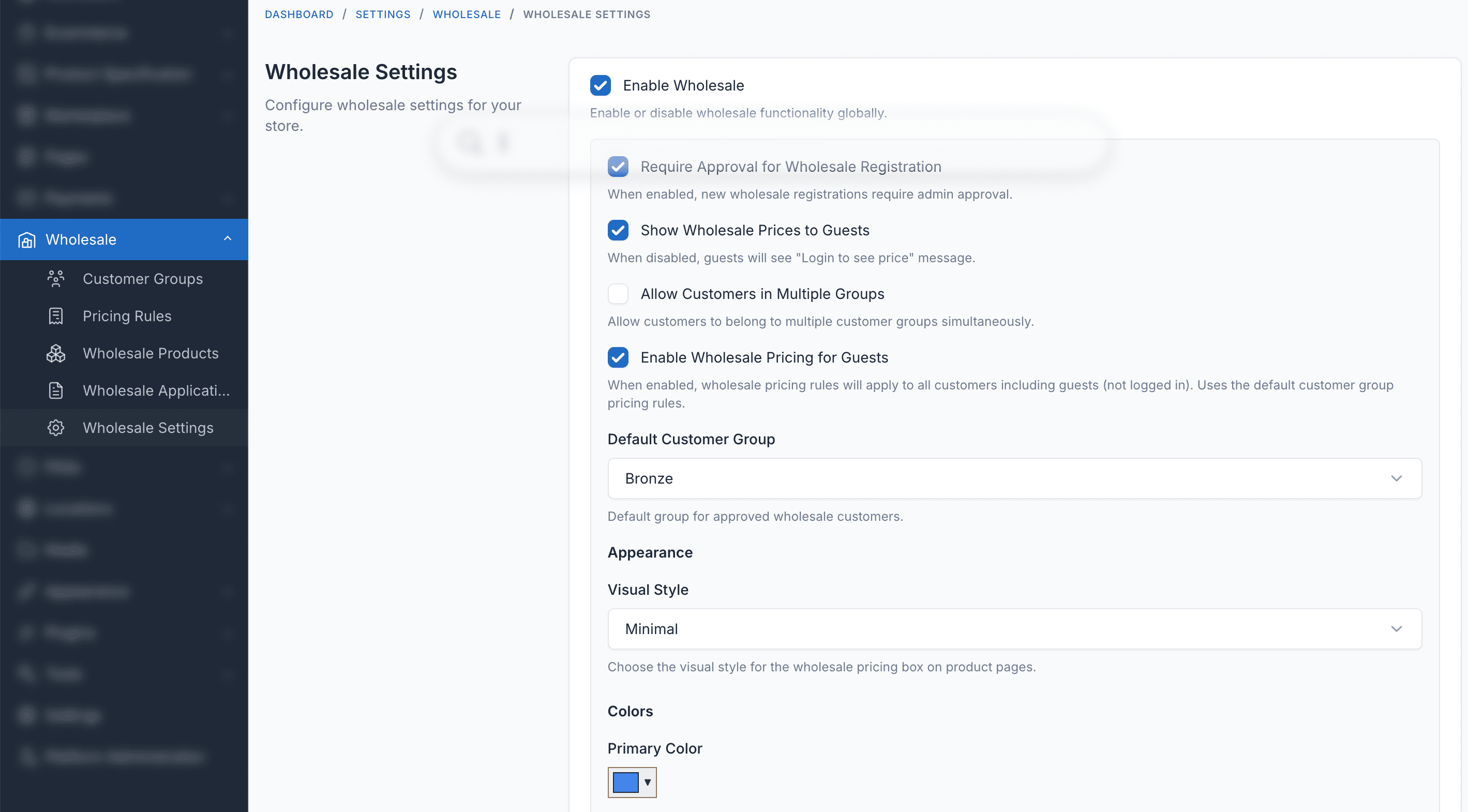
Ayarlar ve Yapılandırma
Configure wholesale settings including pricing table styles, guest access, and approval workflows.
Eklenti Ozellikleri
Basarili bir Toptan Satis sistemi yurutmek icin ihtiyaciniz olan her sey
Customer Groups
Create wholesale customer tiers (Bronze, Silver, Gold, Platinum) with different discount levels.
Tiered Pricing
Set quantity-based pricing rules per product — the more customers order, the lower the unit price.
MOQ Validation
Enforce minimum order quantities and quantity increments per product or customer group.
Product Visibility
Control which products are visible to wholesale customers, specific groups, or the public.
Registration Workflow
Wholesale application form with admin approval process and automatic group assignment.
Flexible Discounts
Support for percentage, fixed amount, and fixed price discount types with automatic best-price selection.
Yönetim Paneli
Easy-to-use admin interface to manage customer groups, pricing rules, and wholesale applications.
Pricing Table Display
Show wholesale pricing tables on product pages with multiple display styles and color customization.
Çoklu Satıcı / Pazar Yeri Desteği
Botble Marketplace eklentisi ile tamamen uyumludur. Satıcılar kendi toptan fiyatlandırma kurallarını, kademeli fiyatlandırmayı ve minimum sipariş miktarı ayarlarını doğrudan satıcı panosundan yapılandırabilir. Yönetici kuralları genel varsayılan olarak çalışır.
Sepet ve Sipariş Toptan Bilgisi
Toptan indirim rozetleri sepet sayfasında, mini sepet panelinde, ödemede ve sipariş özetinde gösterilir, böylece müşteriler her zaman tasarruflarını görür.
Çoklu Satıcı Hazır
Satıcılar satıcı panosundan toptan fiyatlandırmayı yapılandırabilir — yönetici müdahalesi gerekmez.
Çoklu Dil Desteği
İngilizce, Fransızca, Almanca, İspanyolca, Vietnamca, Japonca, Korece, Çince, Arapça ve daha fazlası dahil 30'dan fazla dilde mevcuttur.
Tam Uyumlu
Üzerinde mevcut tüm Botble e-ticaret temalarıyla çalışır CodeCanyon.